
Most AI note takers are built for video calls: a bot joins the call, or an app listens to the call's audio. A meeting in a room has neither, so many of them fall back on a phone app that uploads the recording. Poffle records in-person meetings with your Mac's microphone and does the rest on your Mac: the transcript, the speaker labels, the notes and the action items.
Start a recording in the room
There are two ways to start, depending on whether the meeting is in your calendar:
- From the calendar. Open Agenda on Poffle's rail, choose the event, and click Record meeting under Meeting notes. The notes stay with the event, and the next meeting in a series shows what was left open.
- Without an event. Open Capture, go to Meetings and click Record meeting.
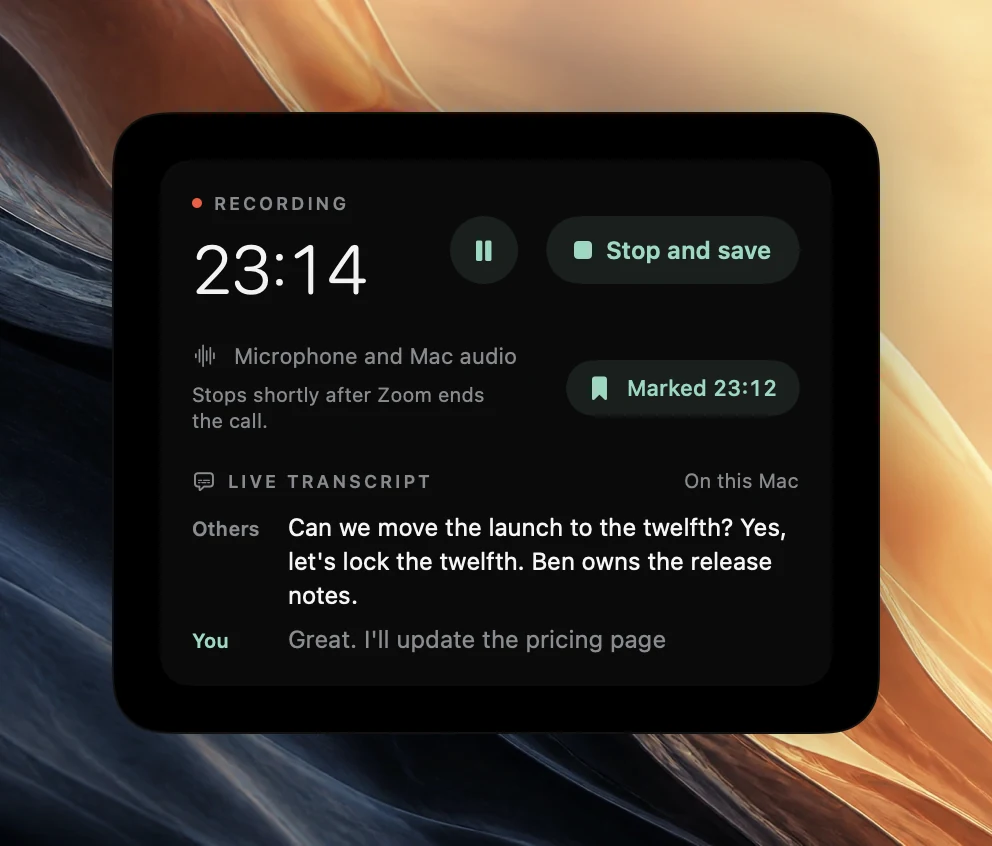
The first time, macOS asks for access to the microphone. While you record, the live transcript shows what is being said, and Mark moment, or ⌃⌥B, flags a point you want in the notes. Click Stop and save when the meeting ends.
Get clear audio in a room
- Put the Mac in the middle of the table, open, with nothing covering the microphones beside the keyboard.
- For a large room, use an external microphone and choose it as the input in System Settings > Sound before you start.
- Ask people to speak one at a time for the important parts, such as decisions and who takes what.
- Keep fans, music and the projector away from the Mac.
After the meeting
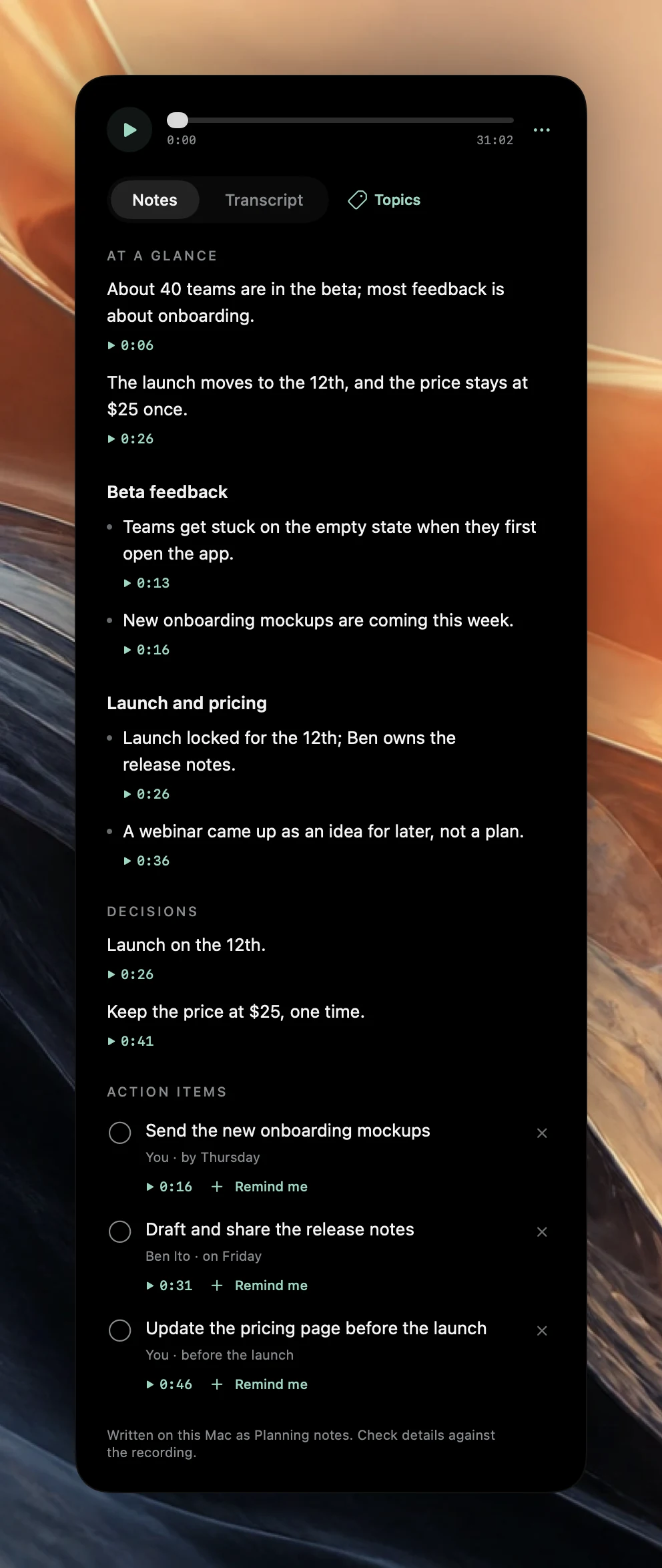
When you stop, Poffle prepares the full transcript from the recording on your Mac, separates the speakers and writes the notes with Apple Intelligence. Speakers start as numbered labels; click one to give it a name, and the notes use that name for owners. The notes come in sections, with decisions and action items with owners and due dates. Turn an action into a reminder with Remind me, or ask a question across your meetings later.
How other note takers handle meetings in a room
Most note takers can record in a room, usually through a phone app, and nearly all of them transcribe in the cloud:
| App | Price | Where audio is transcribed | In-person meetings |
|---|---|---|---|
| Poffle | $25 once, plus tax, for up to 2 Macs | On your Mac | Yes, with your Mac's microphone |
| Otter.ai | Pro $16.99 a month, or $8.33 a month billed yearly, per user | Otter's cloud (AWS, United States) | Yes, desktop, web and mobile apps |
| Granola | Business $14 a month per user, billed monthly | A cloud transcription provider. Audio is deleted afterwards | Yes, with the mobile apps |
| Fireflies.ai | Pro $18 a month, or $10 a month billed yearly, per seat | Fireflies' cloud (AWS and Google Cloud, United States) | Yes, with the mobile app |
| Fathom | Premium $20 a month, or $16 a month billed yearly, per user | Fathom's cloud (United States) | Yes, with the iPhone app |
| Jamie | Plus $29 a month, or $24 a month billed yearly | Jamie's servers in Frankfurt. Audio is deleted afterwards | Yes, from a laptop or phone |
Checked on October 21, 2026 on each company’s own website. Plans and prices change, so check before you decide.
Ask first
Tell everyone in the room that you are recording and what the notes are for, and follow your company's rules and local law on recording conversations. Poffle's recordings stay on your Mac, but the people in the room should still know about them.
Try it at your next meeting
Poffle runs on a Mac with Apple silicon and macOS 26 or later. Notes and answers use Apple Intelligence, so it needs to be turned on and to support the meeting's language; recordings and transcripts work without it. The trial gives you seven days with every Pofflet. You add a card to start, nothing is due today, and you can cancel before the trial ends to pay nothing. After that it is $25 once, plus tax, for one person on up to two Macs, with all future Poffle updates included.
Download Poffle, open it, and let it offer to record your next call. Let everyone on the call know before you record.
Sources
Official documentation and references used in this guide.